Every detection becomes a ticket.
AlertFlow is the queue. A detection is not an alarm that fades; it is a ticket with an owner, a severity and a status, and it stays until a person closes it.
What a ticket carries
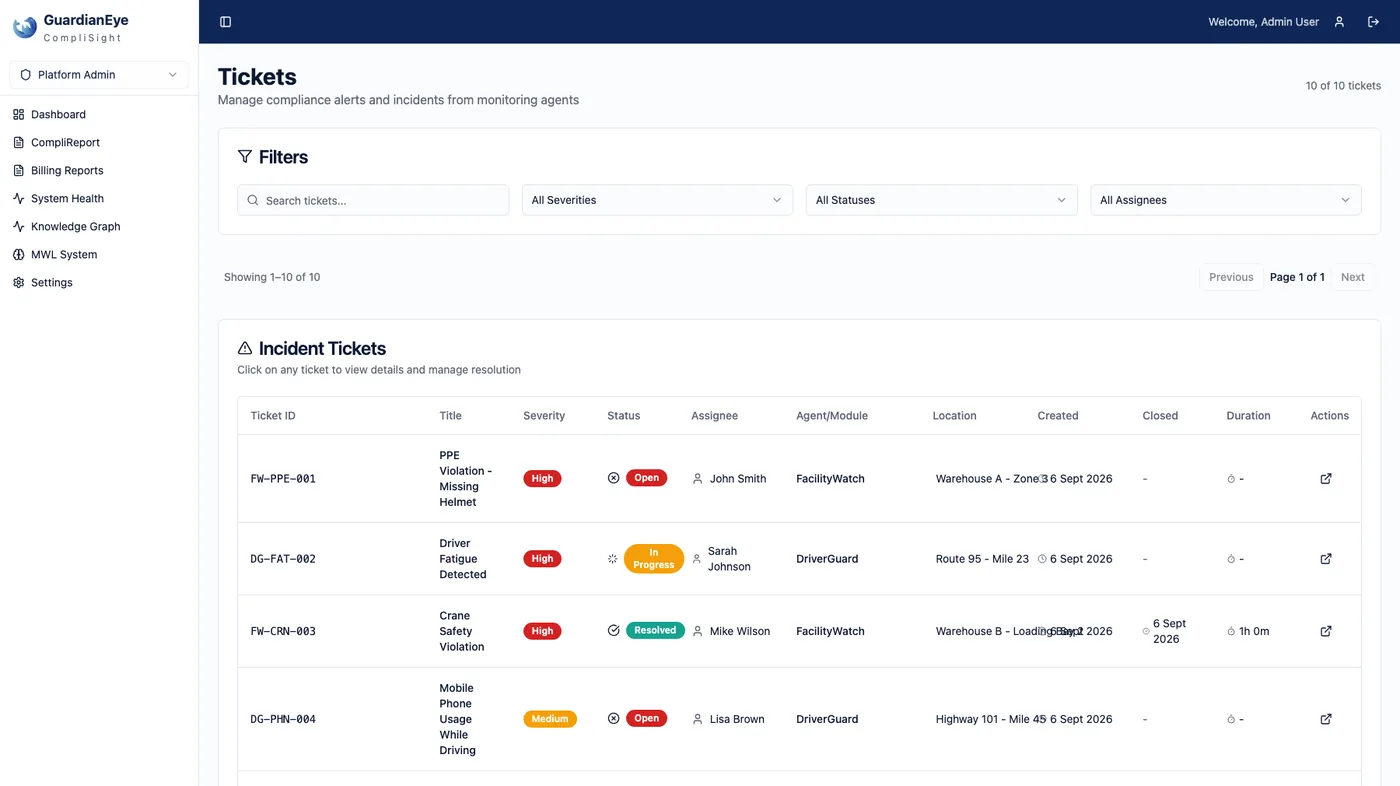
The fields are the ones on screen: ticket ID, title, severity (low, medium, high), status (open, in progress, resolved, closed), assignee, location, agent and module, created time and duration open, a description, and the incident evidence — the frame that met the rule.
Working the queue
Supervisors filter by severity, status and assignee. A ticket is picked up, moves to in progress, and is resolved or closed with the reviewer’s name on it. Resolved tickets can be archived automatically; nothing is deleted from the record.
Why a ticket and not an alarm
An alarm asks to be silenced. A ticket asks to be answered. The difference is what an auditor can read a year later.
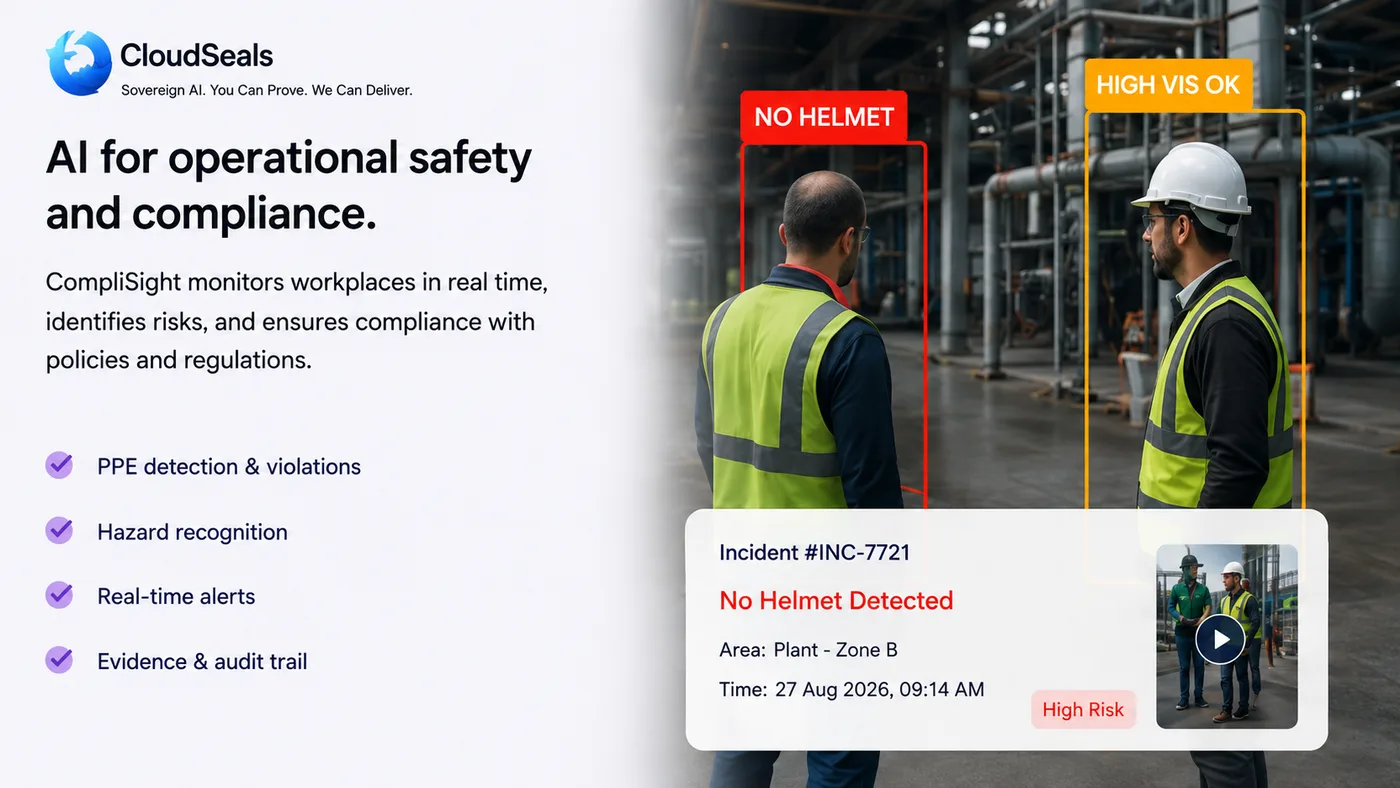
Worker detected without safety helmet in active construction zone.
A live queue. Work it.
An interactive example of the AlertFlow queue, built from the product’s own sample tickets. Filter, open one, close it — and watch the report change. Example data, not customer data.
No tickets match these filters.

Site summary, generated from the queue
By severity
By status
By module
Every line traces to a ticket, and every ticket to a frame and a name. Reviews you made above appear here, with you as the reviewer.
Four statuses, every change kept.
Open
Raised by a module, assigned to the supervisor on duty.
In progress
Picked up; the person is looking at the evidence.
Resolved
Action taken and recorded.
Closed
Confirmed and filed — including closed as a false detection.
Start with one site.
A site assessment looks at the cameras you have, the rules that matter on your floor and how the evidence would reach your auditor. Twenty minutes to find out whether it fits.